Kubernetes Preview Environments Turn Pull Requests Into Real-World Tests
A Kubernetes preview that starts successfully can still fail its users. A passing health check confirms that a process is up; it doesn’t show whether an important workflow still works, or whether a response changed in a way clients can’t handle. The practical value of a pull request preview rises when teams use it to test behavior from outside the application, with traffic that resembles real requests.
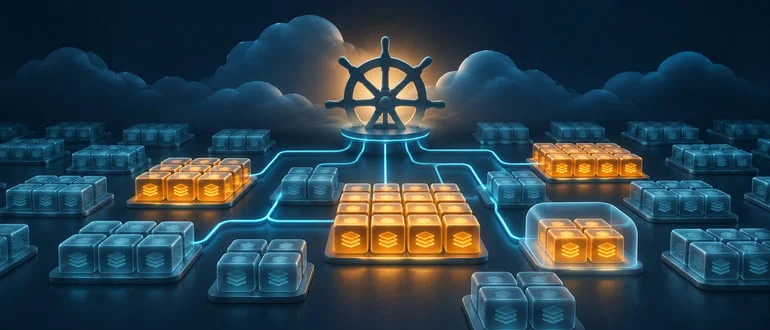
Each preview can run the exact build under review in its own namespace and at its own URL. That creates a useful test boundary: reviewers can inspect the change, while automated checks exercise the same running service without competing pull requests altering the environment. My read is that this makes previews more than a convenient place to demonstrate a feature. With the right test inputs, they become a focused way to assess the effects of a code change before it merges.
Isolation makes failures easier to investigate
Black box testing evaluates a service through its interfaces. It sends requests and examines responses without depending on how the application’s code is structured internally. That makes it a natural fit for a preview, since the test can interact with the deployed service much as a client would.
Shared staging environments muddy that signal. A test can fail because another team changed a dependency, someone replaced test data, or several updates reached the environment at once. When a pull request has its own deployment, the application change under review is the main variable. A failed request is therefore easier to connect to the code being reviewed, though dependencies and test setup still need careful handling.
Isolation also helps with review. A preview URL lets people inspect a working change without asking them to infer its behavior from a diff alone. Automated checks can complement that inspection by exercising workflows consistently. The two serve different purposes: human review can judge whether a change is useful, while outside-in tests can identify responses or flows that have shifted.
Test with requests that reflect real use
A basic health endpoint can tell a pipeline that a service is ready to receive traffic. It can’t establish that checkout completes, that an API returns the expected fields, or that a sequence of requests still works. For that, teams need test inputs that go beyond “the pod started.”
One approach is to capture API requests from staging or routine use, remove sensitive information, and replay the sanitized set against each preview. Such traffic can include parameters, payload variations, and request sequences that a small collection of hand-authored cases might overlook. Replaying it against the pull request build offers a more demanding check of the service’s external behavior.
Teams can also send the same traffic to a preview built from the main branch and compare the responses. Differences then give reviewers something concrete to inspect: perhaps a field has changed, or a status code no longer matches the expected behavior. A response difference doesn’t automatically mean a defect; it can be an intended result of the change. The comparison helps surface it while the code is still under review.
Traffic replay only provides a sound signal when the inputs are suitable for the environment. Captured requests need to be sanitized, and test data must be available in a form the preview can use. If the same requests produce different responses because of unrelated state changes, comparisons become harder to interpret. The goal is repeatable, representative input that exposes meaningful behavior changes.
Virtualize dependencies to keep previews practical
Applications rarely operate alone. A service may need a database to start and may call internal services or APIs run by outside providers. Recreating every dependency for every pull request can add setup time and resource costs. It also expands the number of systems that might be responsible when a test fails.
For many dependencies, teams can use virtualized stand-ins that return realistic responses based on recorded interactions. Capturing those interactions at the network level leaves the application build itself untouched, allowing tests to exercise the service under review while avoiding a full copy of every connected system.
Predictability is a major benefit. A virtualized dependency can return consistent responses from run to run, so a downstream deployment or temporary service issue is less likely to interrupt a test. That makes failures more useful to investigate and can reduce the machinery each preview needs.
Some dependencies are better kept real. A team might run the service’s own database in each preview with a small seeded dataset, especially when the change affects database behavior, and virtualize other services. The choice depends on what the change needs to prove: keep a dependency in the environment when its actual behavior matters, and use a stand-in when repeatability and reduced setup are more valuable.
Connect the checks to the pull request
Kubernetes tooling can automate much of the preview lifecycle. GitOps tools can create an environment for each open pull request, with a dedicated namespace and an ingress host associated with that request. Resource quotas help limit the resources an individual preview can consume, while network policies can restrict communication between previews and with other systems.
When the application reports that it’s ready, the pipeline can send the replayed requests to its preview URL, compare the responses with a baseline, and report differences on the pull request. That puts behavioral results beside the code changes they relate to. Reviewers can then assess a changed response in context, while the author still has time to adjust the implementation.
Readiness should be treated as the start of verification, rather than its conclusion. A service can be reachable and still return an error on a business-critical request. A useful workflow waits for the preview to become available, runs the outside-in checks, and makes their results visible as part of the review.
Make cleanup part of the design
Temporary environments only stay temporary when their lifecycle is automated. A straightforward rule is to remove a preview when its pull request merges or closes. A timed cleanup can catch environments that remain after an event is missed, and labels containing the pull request number make leftover resources easier to find.
Data needs the same attention. Writes made by a preview should disappear with its namespace so one pull request can’t leave state behind for another. Combined with resource limits and automated deletion, this keeps a collection of active previews from quietly consuming cluster capacity after the work is finished.
For teams already creating per-pull-request deployments, the next useful step is to measure how the service behaves against representative traffic. Keep the environment isolated, virtualize dependencies where consistent responses help, and preserve real dependencies where their behavior is part of the change. That gives each pull request a clearer answer to a practical question: does this build still behave as expected when clients use it?