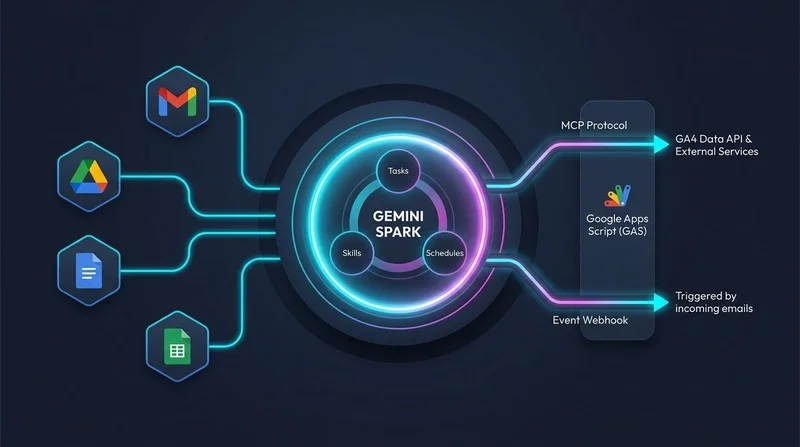
Transforming Data Analytics with Looker Agentic Workflows
Conventional business intelligence alerts typically notify users when there’s a metric change but fall short in explaining the reasons behind it. That’s where Looker Agentic Workflows comes in, recently introduced in preview form. This new functionality automates both the monitoring of metrics and root-cause analysis through intelligent background agents.
Automated Insight Generation
Looker’s Conversational Analytics already allows teams to engage with data using natural language queries, a feature that’s proving essential in an age where time is critical. But the advent of Agentic Workflows takes this capability further. Now, users can transform casual inquiries into ongoing automated monitoring tasks simply by asking the agent a question like, “Track return rates weekly” or “Alert me if average order value exceeds $1,000.” In the past, users had to set up alerts manually and then monitor them, wasting time and often missing important shifts in data. By employing a more conversational interaction, Looker’s Agentic Workflows streamline this process, making it easier for non-technical users to stay informed about their metrics.
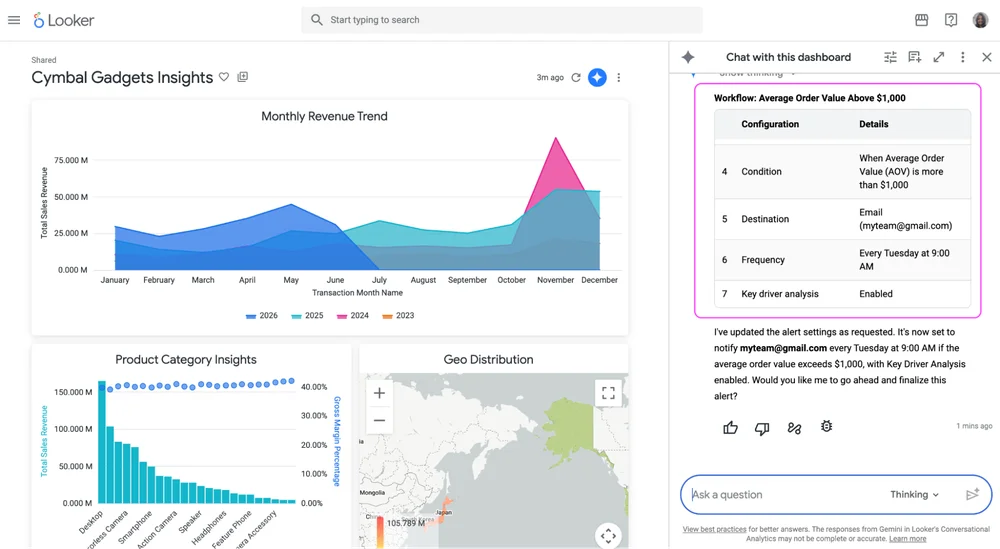
Review the workflow plan generated inside the conversational analytics pane
Root-Cause Insights Delivered Directly
The shift from mere notification to actionable insight is significant. When metrics breach predefined thresholds, the background agent engages in more than just sending alerts; it performs what’s known as Key Driver Analysis (KDA). This analytical step identifies the key factors responsible for changes—perhaps it's a drop in sales tied to consumer behavior changes or specific product lines underperforming. Rather than waiting for the data analyst team to investigate, findings are delivered directly to team environments like Slack or email. This not only streamlines communication but also helps teams pivot quickly, reducing potential losses or missed opportunities. Reaction time is everything, and automating this part of the process can lead to better decision-making.
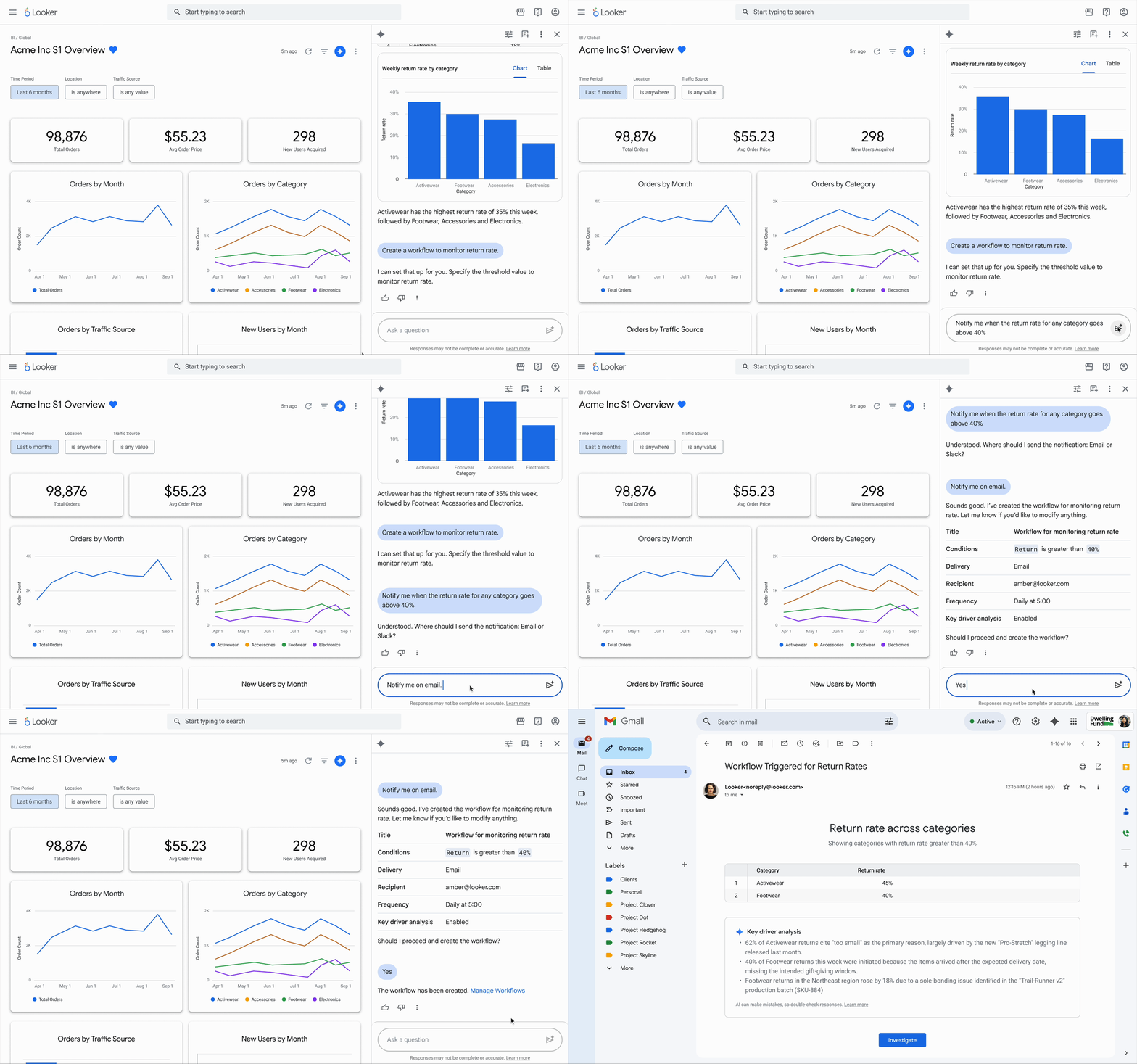
Automated root-cause analysis delivered with the metric change notification.
Interactive Exploration and Governance
After receiving a notification, users obtain a direct link to the Conversational Analytics feature inside Looker, which is where the analysis truly begins. This allows teams to dig deeper into the data quickly, the agent's findings readily available at their fingertips. It’s a setup that encourages immediate follow-up questions and hypothesis testing. In many organizations, flexible access to data might be hindered by governance restrictions, leading to slowdowns in decision-making. Looker aims to overcome this issue by offering a central management interface where users can oversee their own monitoring setups while admins maintain oversight over the entire process. This balance between autonomy and governance allows companies to retain control without stifling innovation.
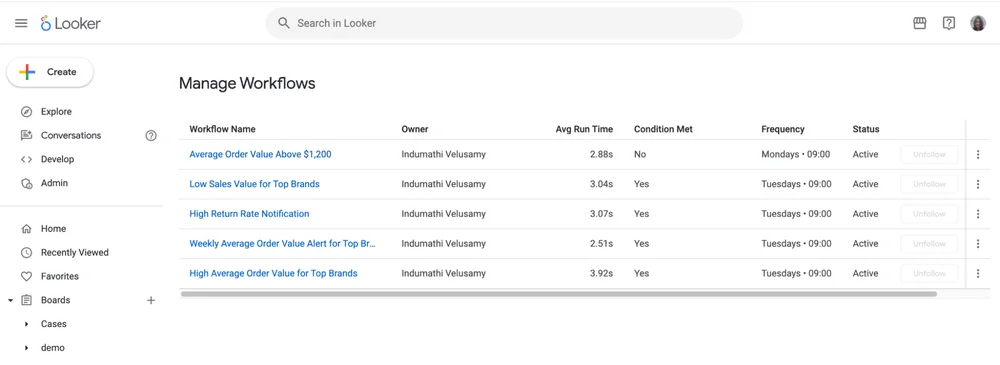
Central pane to review, edit, and manage workflows
Getting Started with Agentic Workflows
Currently available in preview for Looker version 26.08 and later, Agentic Workflows can be activated by admins through the Gemini settings page. Users with the proper permissions, such as chat_with_agent and create_alerts, now have the ability to build their workflows with ease. The familiarity with Looker’s interface is an advantage here, but not everyone may be ready to fully exploit these features right away. For those looking for guidance, Looker’s documentation provides detailed instructions on setup.
Implications and Future Outlook
The introduction of Agentic Workflows marks a pivotal step toward making business intelligence more proactive. Many platforms have long focused merely on analytics—that is, reporting what happened without providing clarity on why it matters. This new functionality signals a shift toward analytics that prioritize action and context. If you're working in this space, you'll recognize that the ability to quickly analyze and respond to data changes is a necessity for maintaining competitive advantage.
This development could also stir discussions about the future of business intelligence tools. Will they evolve into more user-friendly models, allowing more team members to interpret data independently? That’s a possibility, and this is the part most people overlook: data accessibility will likely become a foundational aspect of future analytics strategies.
While not every organization may implement these workflows with immediate success, the potential for streamlined operations is clear. As AI and machine learning continue to advance, it’s likely that solutions similar to Looker’s Agentic Workflows will emerge, heightening the demand for intuitive business intelligence tools that can keep pace with rapidly changing market conditions.